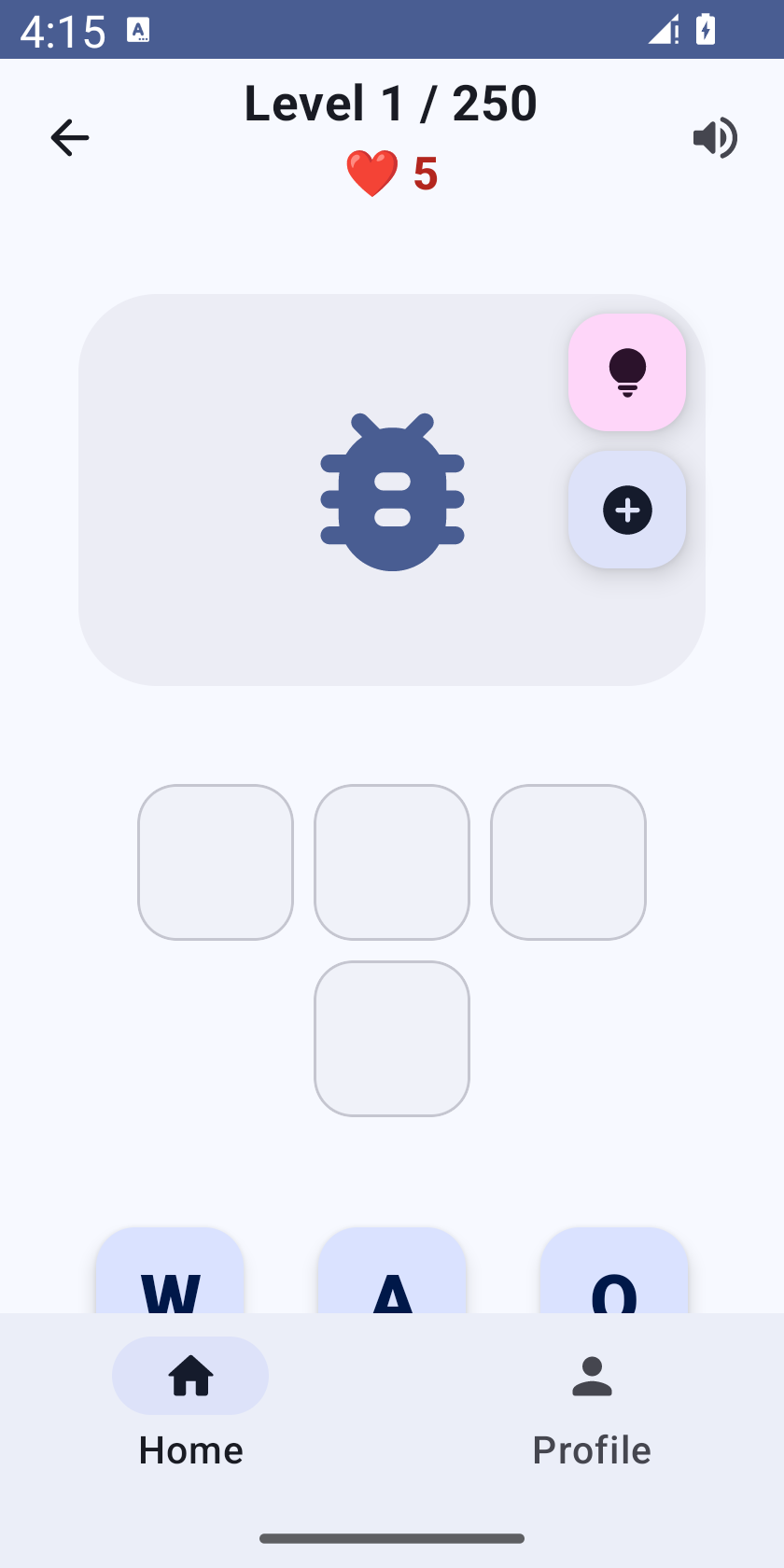
WordDragons: finish a spelling level and retry without an ad
WordDragons asks you to build a word by moving letters into empty slots. This guide explains what to do when an attempt fails, which help is optional, and what you should preserve before troubleshooting. It covers the Android app; it does not describe an iOS purchase or subscription.
Build the word one letter at a time
- Open a level and look at the illustration, empty word slots and letter pool. On a short screen, scroll to see the remaining letters.
- Drag the letter you intend to use into its slot. A letter already placed on the board is not an additional copy in the pool. If the word contains a repeated letter, look for the separate remaining tile.
- If you change an arrangement, check the board before continuing. Removing and placing a tile again is a new attempt; do not repeatedly drag the same tile expecting unlimited wrong attempts.
- After solving the level, use Next Level to move forward. Your profile is the place to check earned progress.
When your lives run out
Two different actions appear at game over. “WATCH AD TO CONTINUE” offers a rewarded advertisement when one is available. “Retry level (free)” starts a fresh attempt with five lives and does not require a rewarded ad. The free retry starts the current board again: it does not preserve a partly completed attempt or give you credit for solving it.
If the game-over buttons appear below the visible board, scroll within the level. Leaving for Profile and returning Home does not itself restore lives. Use the explicit free-retry button instead. This matters on small phones and with larger system text, where the entire board cannot fit in one view.
Hints and advertising are different controls
The hint control chooses a move for the current board. The rewarded-life action is separate. If an ad is unavailable, you can still take the free fresh retry. An ad closing is not by itself proof that a reward was earned: the balance changes when the advertising service reports the reward. Never click an advertisement to try to repair the game.
Keep earned progress safe
Update the existing installation through Google Play before trying destructive steps. In our release checks, an existing completed-level record and streak survived an in-place update and an app restart. That check does not establish cloud backup, recovery after uninstall, or restoration of every historical shuffled board. Clearing app storage or uninstalling can remove device-local records. Record the current level and profile before contacting support.
What to send support
Tell us your app version, Android version, level number, whether you used free retry or watched an ad, and the exact action before the problem. A screenshot of the board and buttons is useful. Leave account passwords, payment details and unrelated notifications out of the screenshot. If a button is difficult to reach, include whether Android font or display size is enlarged.